Poor Man's LVM on OpenBSD
2026-01-21
Too Long, Didn't Read
Currently, there is no support for LVM in OpenBSD, but you can sort of approximate it by mounting files.
This is cursed in many ways. DON'T DO THIS. I warned you.
What's LVM?
LVM is the Logical Volume Manager. It enables one to resize partitions as they wish, among other things.
For now, LVM is not ported on OpenBSD.
Thus, when a partition is full, you have to do some re-partitioning wizardry.
Let's create our own LVM!
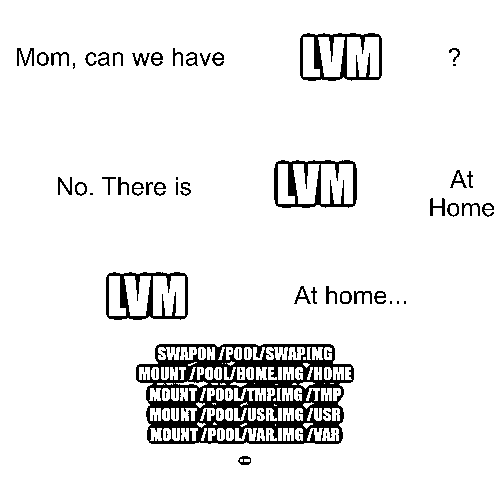
Step 0: Install OpenBSD
Please just mostly follow the installation guide.
Make sure you have at least 30 GiB available.
At the Disk Partitioning step, only add a partition for "/".
Encrypt the root disk => "no"
Use (W)hole disk MBR, whole disk (G)PT or (E)dit? => "G" if using UEFI, "W" otherwise
Use (A)uto layout, (E)dit auto layout, or create (C)ustom layout? "C"
wd0> a
partition to add: [a] a
[... keep the defaults]
mount point: [none] /
sd0*> w
sd0> x
Then, continue normally and reboot.
Personally, I use a pre-built virtual machine, but YMMV.
I use the openbsd-min.qcow2 image from the releases page.
It has one partition of 2 GiB mounted on / (over 90% full!), so you will have to resize it. Check out fdisk(8), disklabel(8), and growfs(8) for this.
On a default OpenBSD installation, you can create up to 4 virtual disks. As we are going to use 1 disk per partition, that won't be enough.
You can reconfigure your kernel to allow 10 virtual disks (for example), then don't forget to reboot.
# vnconfig -l
vnd0: not in use
vnd1: not in use
vnd2: not in use
vnd3: not in use
# config -e -f /bsd
OpenBSD 7.8 (GENERIC.MP) #54: Sun Oct 12 12:58:11 MDT 2025
    deraadt@amd64.openbsd.org:/usr/src/sys/arch/amd64/compile/GENERIC.MP
Enter 'help' for information
ukc> change vnd
506 vnd count 4 (pseudo device)
change [n] y
count [4] ? 10
506 vnd changed
506 vnd count 10 (pseudo device)
ukc> quit
Saving modified kernel.
# reboot
[snip]
# vnconfig -l
vnd0: not in use
vnd1: not in use
vnd2: not in use
vnd3: not in use
vnd4: not in use
vnd5: not in use
vnd6: not in use
vnd7: not in use
vnd8: not in use
vnd9: not in use
To keep this setting across upgrades, config(8) suggests using bsd.re-config(5).
Step 2: Add the swap file (easy)
On OpenBSD, swap can be directly mounted from a file. So we'll create a big file (e.g. 400 MiB) and add it to /etc/fstab.
mkdir -p /lvm
dd if=/dev/zero of=/lvm/swap bs=10M count=40 # 10 * 40 = 400 MiB
echo "/lvm/swap none swap sw" >> /etc/fstab # add swap to fstab(5)
swapon /lvm/swap # load swap file
Step 3: Add the partitions (hard)
This is similar to using a swap file, except we can't mount a file directly to a mount point (e.g. /lvm/usr on /usr/).
So we'll add another step: we'll mount this file as a vnode disk (e.g. /lvm/usr to /dev/vnd0) before mounting the vnode disk to the destination (e.g. /dev/vnd0c to /usr/).
## example for /tmp ##

# create the "partition" in file /lvm/tmp
mkdir -p /lvm
dd if=/dev/zero of=/lvm/tmp bs=10M count=100 # 10 * 100 = 1 GiB

# make sure /dev/vnd0 exists
cd /dev/
sh /dev/MAKEDEV vnd0
cd -

# mount the virtual disk
echo "/lvm/tmp /dev/vnd0c vnd rw 0 0" >> /etc/fstab
mount /lvm/tmp

# create the filesystem
newfs vnd0c

# move folder to temporary location
mv /tmp /tmp.orig
mkdir /tmp

# mount new folder
echo "/dev/vnd0c /tmp ffs rw,nodev,nosuid 0 0" >> /etc/fstab
mount /tmp

# move files from the old folder to the new one
mv /tmp.orig/* /tmp/
rmdir -p /tmp.orig/

# set sticky bit for /tmp
chmod 1777 /tmp
Step 4: THOU SHALT NOT REBOOT
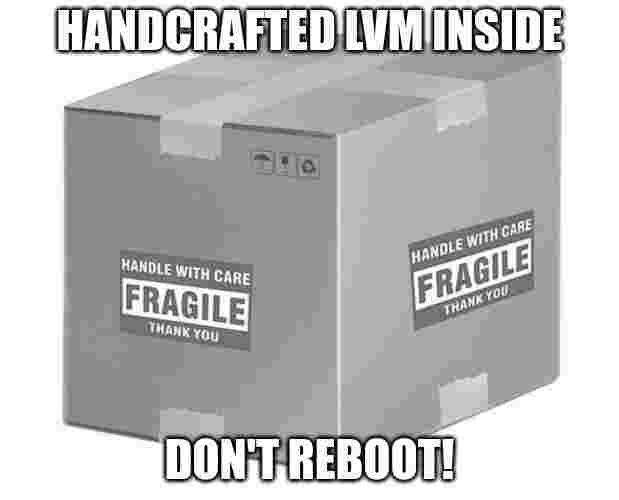
If you reboot right now, you will have a broken system.
The problem stems from /etc/rc. This script is run at boot-time and, among many other things, is responsible for mounting the partitions from /etc/fstab at the right time. It first mounts all filesystems except for network (nfs) and vnode disks (vnd). The rest is mounted later.
However, our new partitions are FFS filesystems (not vnd or nfs), while they also depend on the vnode disks being mounted.
A quick fix is to stop excluding vnd devices from the first mount.
--- a/etc/rc
+++ b/etc/rc
-mount -a -t nonfs,vnd
+mount -a -t nonfs
Final script
The samples from above are a bit different from the final code so that they are simpler to explain.
For example, /etc/rc is fixed near the start of this script.
Understanding everything that changed is left as an exercise to the reader.
#!/usr/bin/env sh

# adapted from https://github.com/hcartiaux/openbsd-cloud-image/blob/fd12c211f720efee3398b6342e4ec6b39716193c/custom/create_partitions.sh

if [ "$(id -u)" != 0 ]
then
    echo please execute this script as root
    exit 1
fi

vnd_devices="$(vnconfig -l | wc -l)"

if [ "$vnd_devices" -le 7 ]
then
    echo Setting up more virtual devices.
    printf 'change vnd\ny\n10\nquit\n' >> /etc/bsd.re-config
    config -e -c /etc/bsd.re-config -f /bsd
    echo Please reboot before continuing.
    exit 1
fi

function patch_rc {
    echo checking /etc/rc ...
    if grep 'mount -a -t nonfs,vnd' /etc/rc
    then
        echo /etc/rc will fail with vnd devices, patching...
        sed -i.bkp 's/mount -a -t nonfs,vnd/mount -a -t nonfs/' /etc/rc
    else
        echo "/etc/rc is patched!"
    fi
}

function stop_services {
    /etc/rc.d/sndiod stop
    /etc/rc.d/ntpd stop
    /etc/rc.d/smtpd stop
    /etc/rc.d/cron stop
}

function start_services {
    /etc/rc.d/sndiod start
    /etc/rc.d/ntpd start
    /etc/rc.d/smtpd start
    /etc/rc.d/cron start
}

function add_swap {
    size=$1

    echo "Adding swap (size=${size})"
    dd if=/dev/zero of=/lvm/swap seek="$size" bs=1 count=0
    echo "/lvm/swap none swap sw" >> /etc/fstab
    swapon /lvm/swap
    if [ "$?" -ne 0 ]; then
        echo "Error during swap partition creation"
        exit 1
    fi
}

function add_part {
    part=/lvm/$1
    path=$2
    size=$3
    options=$4
    vnd=$5

    echo "Adding ${path} to ${part} (size=${size})"
    dd if=/dev/zero of="$part" seek="$size" bs=1 count=0
    echo "$part /dev/${vnd}c vnd rw 0 0" >> /etc/fstab
    echo "/dev/${vnd}c $path ffs $options 0 0" >> /etc/fstab
    cd /dev/
    sh /dev/MAKEDEV $vnd
    cd -
    mount ${part}
    newfs ${vnd}c

    if [ "$?" -eq 0 ]; then
        mkdir -p ${path}
        mv ${path} ${path}.orig
        mkdir -p ${path}
        mount ${path}
        mv ${path}.orig/* ${path}/
        rm -rf ${path}.orig/
    else
        echo "Error during partition and filesystem creation"
        exit 1
    fi
}

patch_rc
stop_services
mkdir -p /lvm/
add_swap 400m
add_part tmp /tmp 1000m rw,nodev,nosuid vnd0
chmod 1777 /tmp
add_part var /var 4000m rw,nodev,nosuid vnd1
add_part usr /usr 5000m rw,nodev vnd2
add_part usr_local /usr/local 6000m rw,wxallowed,nodev vnd3
add_part usr_src /usr/src 2000m rw,nodev,nosuid vnd4
add_part usr_obj /usr/obj 2000m rw,nodev,nosuid vnd5
add_part home /home 5000m rw,nodev,nosuid vnd6
start_services